
How to Fix WordPress Destination Folder Already Exists Error
This error means a conflicting plugin folder already exists in wp-content/plugins; fix it by…
MISSED_SCHEDULE
Do you want to learn how to fix the missed schedule post error in WordPress?
Scheduling posts in WordPress is a fantastic feature that lets you plan and publish content automatically. However, it can be incredibly frustrating when these scheduled posts don’t go live as planned.
In this guide, I will show you how to fix the missed schedule post error in WordPress easily. By following these steps, you’ll ensure that your scheduled posts are always published on time.
Sometimes, your server might be down or experiencing issues, which can prevent WordPress from publishing your scheduled posts on time.
Server disruptions can happen for various reasons, such as maintenance, high traffic, or technical glitches. Imagine putting effort into scheduling a whole week’s worth of posts, only to find out none of them went live because the server had a temporary hiccup.
WordPress plugins are awesome, but sometimes they don’t play nice with each other. A conflict between plugins can mess up your post-scheduling.
For example, if you have a caching plugin that doesn’t sync well with your scheduling plugin, your posts might get stuck in the pipeline. It’s like having two teammates who won’t pass the ball to each other.
If your WordPress time zone settings are off, your posts might not publish when you expect them to. It’s like setting an alarm clock to the wrong time – it just won’t work right! This small but significant setting can be the difference between a smoothly running blog and one with missed posts.
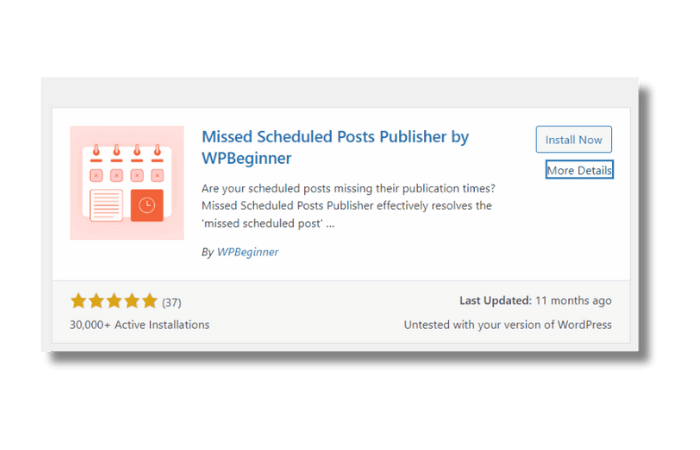
Nearly 70% of WordPress users experience the missed schedule post error at least once in their blogging journey.
This handy plugin automatically publishes any missed scheduled posts. It’s like having a helper who ensures your posts go live even if WordPress forgets.
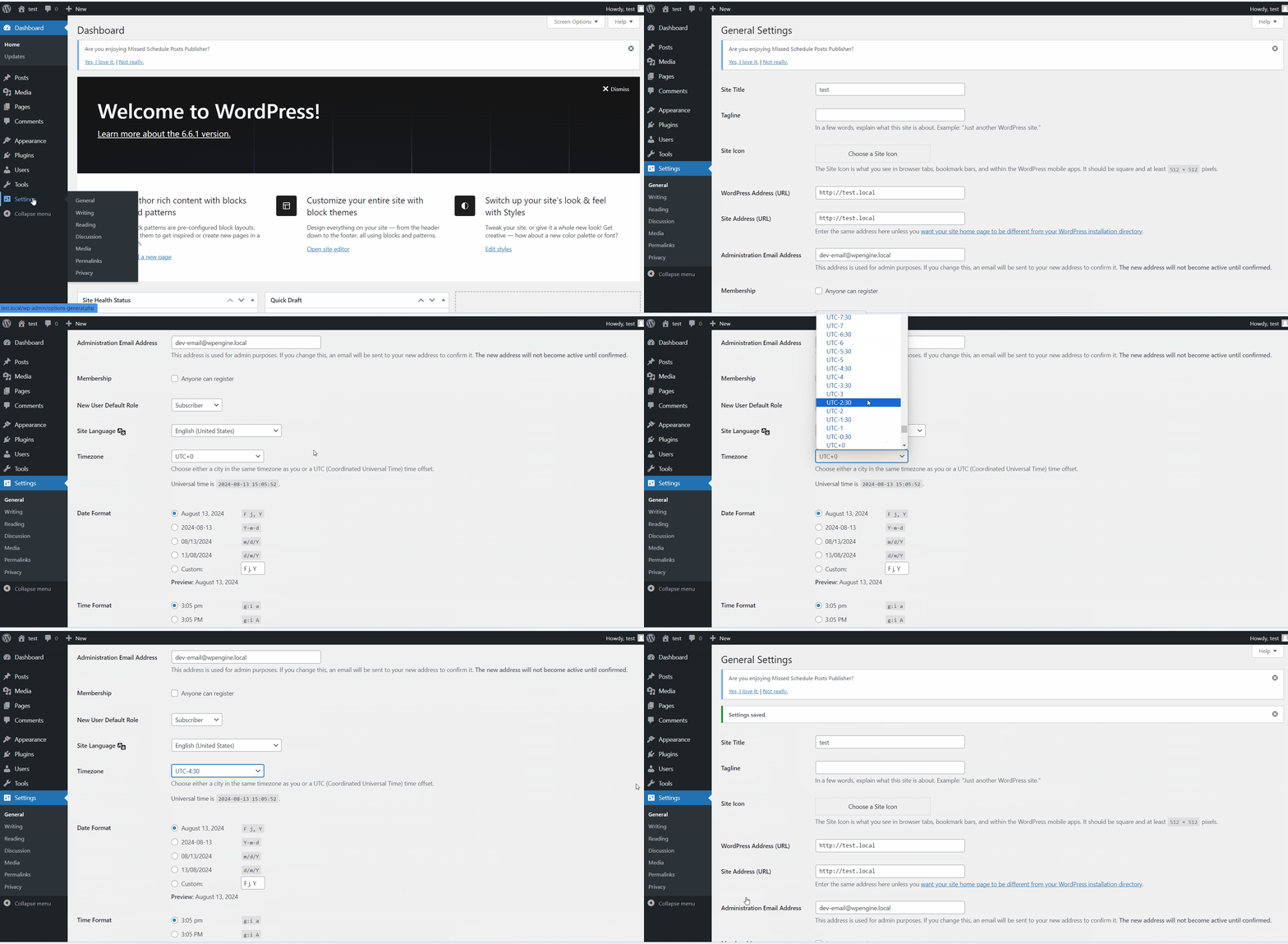
Make sure your WordPress time zone matches your local time. This step is crucial to ensure your posts go live at the right time.
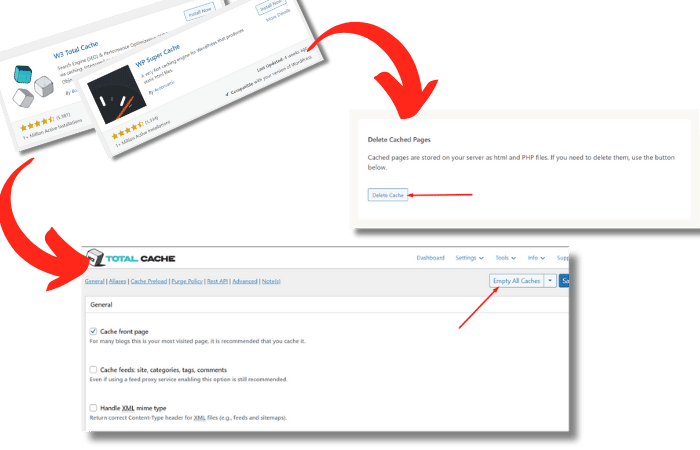
Clearing your cache can fix a lot of issues, including the missed schedule error. It’s like hitting the refresh button on your browser to load the latest version of a webpage.
Sometimes WordPress runs out of memory, causing errors. Increasing the memory limit gives WordPress more room to operate, which can help prevent the missed schedule error.
phpCopy codedefine('WP_MEMORY_LIMIT', '256M');
WordPress uses a system called cron jobs to schedule tasks. If this system isn’t working right, you might need to set up a new cron job. It’s like setting up a new reminder to make sure you never miss an important task.
Visual Aid Suggestion: A screenshot of setting up a cron job in WP Crontrol, showing the interface and steps involved.
Fixing the missed schedule error is essential for keeping your content strategy on track. When your posts publish on time, you keep your audience engaged and improve your SEO. Plus, a reliable posting schedule makes your blog look professional. What’s the real impact of a missed schedule post error on your WordPress blog’s success? It can disrupt your content flow and reduce reader engagement.
If you’re still having trouble, don’t worry! There are plenty of resources available:
Remember, the WP Error Expert AI tool is a great resource for web developers. It can help you troubleshoot many WordPress errors quickly and efficiently.
In conclusion, dealing with the missed schedule post error in WordPress can be a hassle, but it’s totally fixable! By following these steps – installing the Missed Scheduled Post Publisher plugin, checking your time zone settings, clearing the cache, increasing the memory limit, and setting up cron jobs – you can ensure your posts go live when they should. Keeping your blog running smoothly is all about regular maintenance and being proactive.
I hope this guide helps you keep your WordPress site in tip-top shape! Happy blogging!
Get free WordPress & AI tips
Join 500+ readers. No spam, unsubscribe anytime.