
How to Fix 504 Status Code: Comprehensive Guide for Beginners
Encountering a 504 status code while trying to access your WordPress site can be frustrating, especially…
Hey there! If you’re diving into the exciting world of WordPress, you might come across an annoying error that says, “Not a valid JSON response.” This issue can really put a wrench in your plans when you’re trying to edit posts or pages with the WordPress Block Editor. Frustrating, right?
But don’t worry! In this blog post, we’re going to explore what this error means, why it happens, and how to fix it so you can get back to creating awesome content.
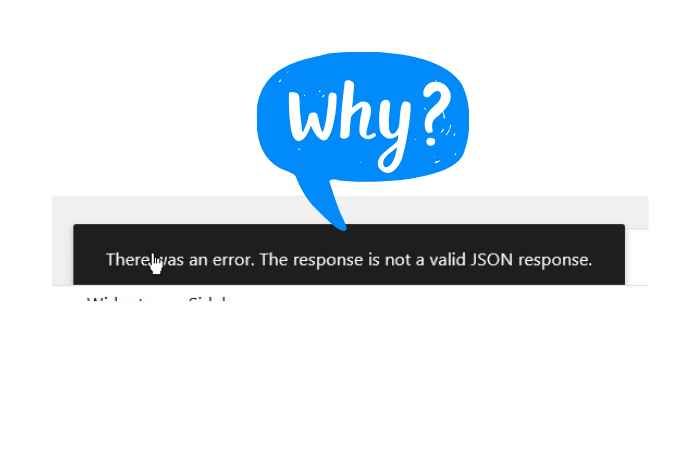
First things first, let’s break down what this error is all about. JSON stands for JavaScript Object Notation, and it’s a format that WordPress uses to communicate between your browser and the server. When everything’s working fine, your browser sends a request to the server, and the server responds with the necessary data in JSON format. But when something goes wrong—like incorrect settings or plugin conflicts—you get the error: “Not a valid JSON response.” Understanding this error is key because it can mess up your workflow and stop you from publishing great content.
One of the primary culprits of the “Not a valid JSON response” error is incorrect URL settings in WordPress. If your site’s URL isn’t set up properly, it can cause communication issues between your browser and the server.
Broken permalinks can also trigger this annoying error. Permalinks are the web addresses for your posts and pages, and if they’re not working correctly, the server might not be able to respond properly in the expected JSON format.
We all love plugins for enhancing our websites, but sometimes they can clash with each other, resulting in unexpected issues like the JSON error. If you’ve recently added or updated a plugin, it might be worth checking if it’s the source of your troubles.
Your hosting provider may have firewalls in place that block the requests between your site and the server, leading to the “Not a valid JSON response” error. If you suspect this might be the case, it’s time to investigate your firewall settings.
The REST API is crucial for WordPress, enabling data exchange between your site and server. If there are issues with the API, it can trigger the “Not a valid JSON response” error as well.
Now that we’ve identified the potential causes, let’s get to the good stuff—how to fix the “Not a valid JSON response” error! Here’s a step-by-step guide to help you troubleshoot and resolve this annoying issue.
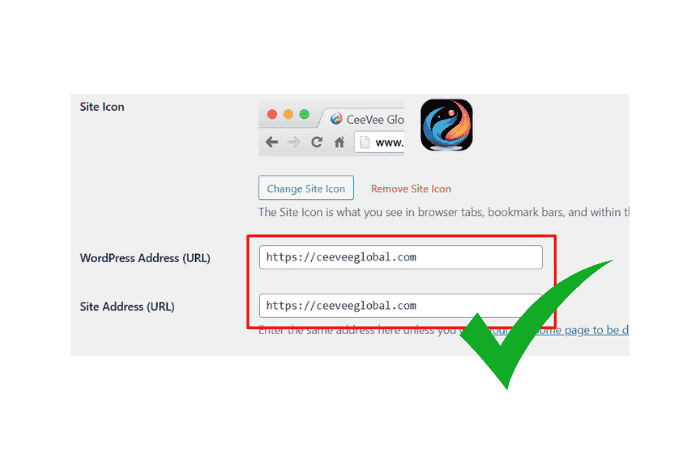
First up, let’s ensure your WordPress URL settings are correct:
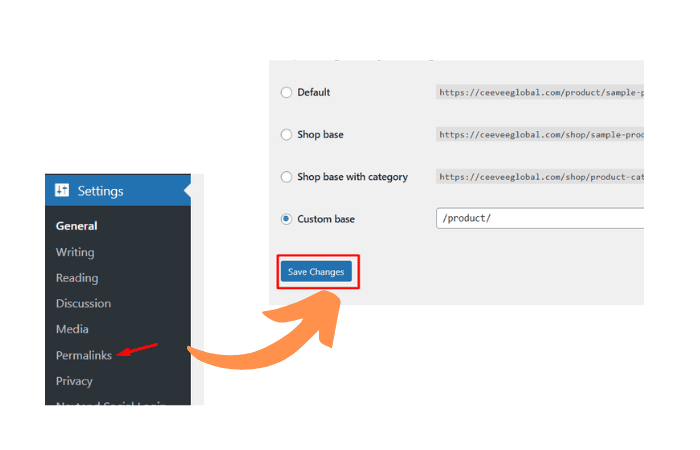
If your permalinks are broken, follow these steps to refresh them:
Sometimes, your .htaccess file can be the problem:
# BEGIN WordPress

RewriteEngine On
RewriteRule .* - [E=HTTP_AUTHORIZATION:%{HTTP:Authorization}]
RewriteBase /
RewriteRule ^index\.php$ - [L]
RewriteCond %{REQUEST_FILENAME} !-f
RewriteCond %{REQUEST_FILENAME} !-d
RewriteRule . /index.php [L]

# END WordPress
Next, let’s see if a plugin is causing the issue:
Sometimes, your theme could be the issue. To check:
If you’re using a firewall, it might be blocking JSON requests. You can either temporarily disable it or whitelist your website’s URL. Check your hosting provider’s documentation for specific instructions.
To get more information about the error:
define('WP_DEBUG', true);read more: WordPress Enable Error Log: A Teen’s Guide to Keeping Your Website Error-Free
If your site has mixed content (both HTTP and HTTPS), it can trigger this error. Ensure all your content is served securely over HTTPS. Use tools like Why No Padlock? to check for any mixed content issues.
If all else fails and you’re still stuck, it might be time to reach out for help. Contact your hosting provider’s support team—they’re usually super helpful and can assist in resolving server-related issues.
Before making any changes, remember to create a backup of your website. This ensures that if anything goes wrong, you can restore it to its previous state. Use plugins like UpdraftPlus or BackWPup for easy backups.
Encountering the “Not a valid JSON response” error in WordPress can feel like a roadblock, but with the troubleshooting steps outlined in this post, you can tackle it head-on! By checking your URL settings, fixing broken permalinks, and identifying potential plugin conflicts, you’ll be back to editing and creating content in no time.
If you ever feel overwhelmed, don’t hesitate to seek help from experienced friends or your hosting provider. You’ve got this! Happy blogging, and may your WordPress journey be smooth and error-free!
Get free WordPress & AI tips
Join 500+ readers. No spam, unsubscribe anytime.